How to Download TikTok MP3 Audio?
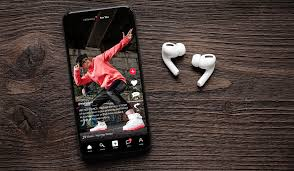
TikTok is arguably the biggest music discovery platform of the decade. Songs go viral overnight, and unique mashups or sound effects born on the app become cultural staples. Often, users want just the audio track from a video—perhaps to set as a ringtone, use in a video edit, or add to a playlist. SnapTikVideo makes extracting MP3 audio from TikToks incredibly simple.
Why Extract Audio?
The audio library on TikTok is vast, but it is locked within the app's video format. You might find a remix that isn't available on Spotify or Apple Music. Or maybe there's a funny voiceover you want to send to a friend as an audio file. By converting the TikTok video to MP3 (or downloading the audio stream), you liberate the sound for your own personal use.
How to Get the Sound
While SnapTikVideo primarily focuses on high-quality video downloads, the resulting MP4 file contains the highest quality audio stream available from TikTok. Here is how to get the audio:
- Copy the TikTok Link: Find the video with the sound you want. Tap 'Share' > 'Copy Link'.
- Download with SnapTikVideo: Paste the link on our homepage and download the video.
- Extract Audio (Optional): Since the downloaded file is a standard MP4, you can use any simple online converter or media player (like VLC) to "Convert to MP3".
Note: We are working on a direct "Download MP3" button feature to make this even faster in the future. For now, downloading the clean video is the best way to ensure you get the high-fidelity audio without the compression artifacts often found in screen recordings.
Copyright & Fair Use
It is important to remember that music and audio are intellectual property. Downloading audio for personal use (listening, offline playback) is generally acceptable, but using copyrighted music in your own commercial projects without a license can lead to takedowns. Always respect the original artists and creators when using downloaded sounds.
Download Video & Audio